
News
The News on the front page display all the news and sorted according to the publish date.
Note: it only displays the above two items that will take place within _the next 7 days.
How to add or edit events?
News can be created in two ways.
Via Document
link Direct Link Manage Document
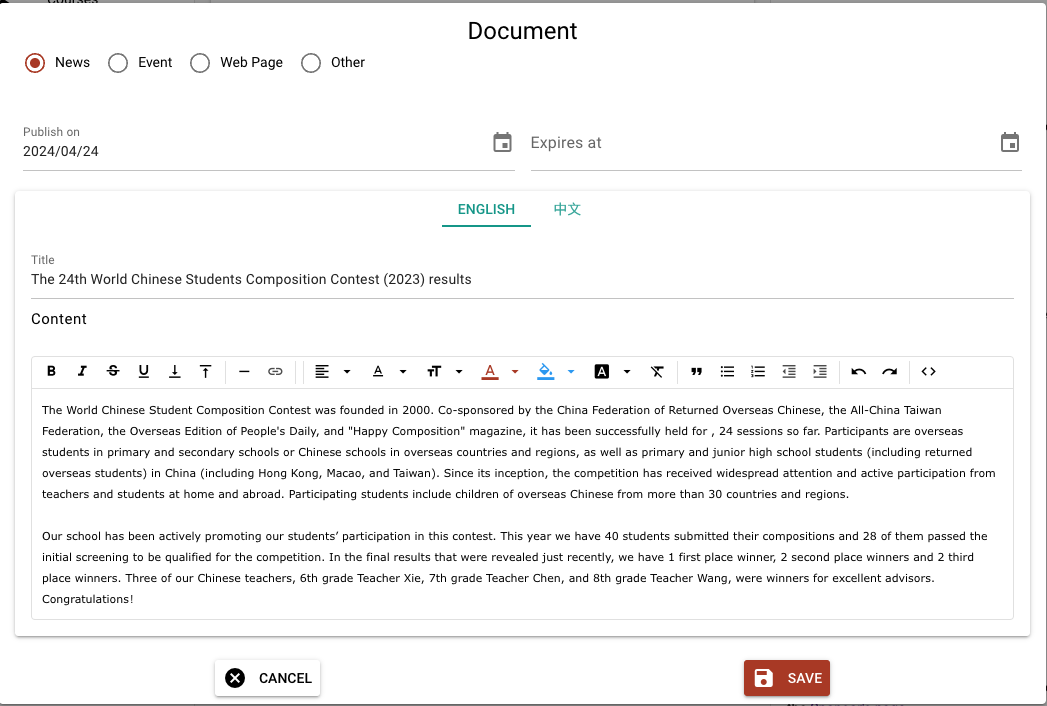
Click the green Add button (or edit an existing one). Select News in the radio button as shown below. Then fill in title and content.
Note: The expiration date is optional. If it is present, news that pasted the expiration date
will not be displayed.
Via Group Email
link Direct Link Group Email
When sending group emails, there is a checkbox "Publish a copy on CSCH web site". If it is checked, the content will be published as news, with the publishes date set to the day when the email is sent.